I ran into a problem recently that really had me scratching my head for awhile: when I launched the Windows Store on Windows 8.1 with a new user, the store itself failed with an error. The error message in the Store app read, "We weren't able to connect to the Store. This might have happened because of a server problem or the network connection timed out. Please wait a few minutes and try again. (0x80004005)."
The annoying thing about this (besides it not working) was that it pretty clearly wasn't trying to access the store: the app itself was failing before even having the chance to time out.
This error persisted through reboots, and it only affected a new user. Creating another new user (local or MS account) had the same effect: the store errored out. New apps that attempted to install as part of a sync from another computer too, would fail in installing.
Saturday, November 30, 2013
Friday, September 27, 2013
Scripting SQL Server Error Log Location in TSQL Queries
While it's possible to view the SQL Server error log location in the SSMS GUI, sometimes you want to build a script that'll write a log to the same directory as the error log; we don't want to have to modify our script for every server it runs on.
Enter the ServerProperty function. There is at least one undocumented server property 'errorLogFilename' that will give us the full path to the SQL ERRORLOG. This is nice, as we can simply run this to return that:
SELECT SERVERPROPERTY('ErrorLogFileName');
Labels:
scripting,
SQL Server
Wednesday, September 25, 2013
Executing SQL Server Batch Statements Within One Exec(sql) Call
When you need to GO in your batch
Sometimes you'll run into a situation where you want to script a series of SQL batch statements dynamically. For instance, you might want to create a schema, then create a user to use that schema, then populate that schema with tables, and do that in each database that runs on a SQL instance.If you weren't wanting to do this dynamically, you'd simply do something like this:
use [dbname]; go Create schema [schema_name]; go create user [username] for login [loginname] with default_schema=[schema_name]; go
That's not that big of a deal, really. But if we want to create a cursor to loop through all databases and run this SQL dynamically, we have a problem: we can't have the create schema statement in the same batch as the USE command, so we don't end up creating the schema in the correct database.
Labels:
scripting,
SQL Server
Monday, April 1, 2013
Configuring a SQL Server Email Alert for SA Login Failures
SA Login 
SA Login authentication failures, essentially, should never happen. Mostly that's because we generally shouldn't be using the SA account, but rather should have dedicated application logins with appropriate privileges. Having those logins use Windows authentication instead of SQL authentication further removes SQL Server from the authentication process, which is even better.So if the SA account isn't disabled, I want to know when there's an SA login failure.
[Generally, I want to know when there's an SA login success, as well, but we'll focus on the failures, here, because it's really low-hanging fruit.]
SQL Server Alerts
SQL Server Alerts are a very light-weight notification tool for lots of SQL Server events. Brent Ozar has a nice run-down of some basic alerts that you ought to consider implementing; we'll add this one as another.It's possible--and frequent--to address this problem by using login triggers. That is certainly a valid, functional, and well-worn method. Login triggers can introduce problems, though, especially when we have forgotten that they exist. Moreover, this is what alerts are for, and there's something appealing to the simplicity of it all.
Friday, June 22, 2012
Importing a .SAS7BDAT file into SQL Server Using SSIS
I was tasked with importing a .SAS7BDAT file into SQL Server the other day, and there were enough non-intuitive pieces to it that I thought I'd write down the steps while they still were fresh.
Some searching shows it's a problem with several solutions, but most of what shows up seems unnecessarily complicated, at least, for someone who's used to using Integration Services. It turns out that there's a very easy method for accessing the data in one of these files, and it doesn't require a SAS client. It does require a download from SAS, but that is freely available.
Labels:
Integration Services,
SAS,
SSIS
Sunday, May 27, 2012
Scheduling a SQL Agent Job to Run on a Calculated Day that isn’t included in the Regular Scheduler Options
I’ve had a hard time coming up with a title for this post, because while the concept is easy to understand, it’s difficult to summarize.
We refresh one of our development instances on the first Monday of each month. That’s an easy thing to schedule, as it’s an option within the SQL Agent scheduler:

We want to send a notification to the affected users beforehand, however, and since the refresh occurs in the wee hours of the morning, we can’t send out that alert on Monday. It has to occur on the Friday before the first Monday.
That, friends and neighbors, isn’t a built-in option.
It’s a little trickier (though in the end, not terrible) because the Friday before the first Monday could be in this month or in next month.
We refresh one of our development instances on the first Monday of each month. That’s an easy thing to schedule, as it’s an option within the SQL Agent scheduler:
We want to send a notification to the affected users beforehand, however, and since the refresh occurs in the wee hours of the morning, we can’t send out that alert on Monday. It has to occur on the Friday before the first Monday.
That, friends and neighbors, isn’t a built-in option.
It’s a little trickier (though in the end, not terrible) because the Friday before the first Monday could be in this month or in next month.
Friday, May 25, 2012
Pasting Code to OneNote 2010 with Formatting and Colors
[Update 1/2915]
Head over here for a solution for OneNote 2013. Annoying, but it works!
I use OneNote as a SQL script repository, and in most respects it’s a great solution: it’s searchable, the notebooks make organizing easy, and its integration with SharePoint (and SkyDrive) is pretty good. There’s one problem, though, that has made it less than ideal: color formatting doesn’t come through from SSMS. Notepad++ is my go-to editor for long scripts (if you’ve not used it, you should check it out), and it has what ought to be a perfect combination of plug-ins for the job:
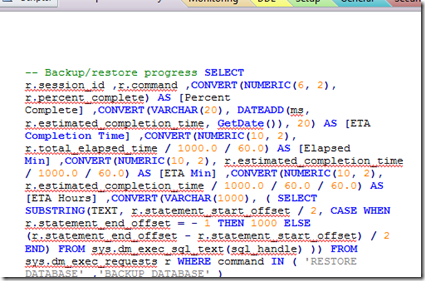
Here’s what my code looked like when pasting formatted SQL from NppExport:
Head over here for a solution for OneNote 2013. Annoying, but it works!
I use OneNote as a SQL script repository, and in most respects it’s a great solution: it’s searchable, the notebooks make organizing easy, and its integration with SharePoint (and SkyDrive) is pretty good. There’s one problem, though, that has made it less than ideal: color formatting doesn’t come through from SSMS. Notepad++ is my go-to editor for long scripts (if you’ve not used it, you should check it out), and it has what ought to be a perfect combination of plug-ins for the job:
- First is the excellent Poor Mans’ T-Sql Formatter. This is a first-rate SQL formatter that integrates with SSMS and Notepad++.
- Second is NppExport (included with NPP), which allows you to copy the selected text to the clipboard as HTML. Unfortunately, OneNote doesn’t really handle HTML (even!) very gracefully: NppExport html is rendered by OneNote without any line breaks. It should be noted that this appears to be a limitation in the rendering that OneNot does, not in the HTML generated by NppExport.
Here’s what my code looked like when pasting formatted SQL from NppExport:
I'm guessing, by the way, that this is a result of NPPExport using the White-space:pre tag in the exported HTML (css, really). It would appear that ON doesn't do full HTML. See this connect item for an upvote on fixing that.
Update: Microsoft has removed Connect options for OneNote, so there's no longer a good way to submit or track bugs.
Here is the same SQL when pasted from NoteHighlight:
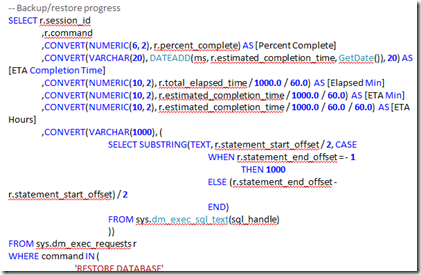
Better, huh? Note that the colors aren’t the same: NoteHighlight actually does some parsing of the code and does its own coloring. You can choose from a variety of syntax color schemes.
Update 8/26/12: Bad news for folks using ON 2007: this only appears to work with OneNote 2010. Thanks to +Edelman for pointing that out. The NoteHighlight page on Codeplex appears to be pretty static, too, so I wouldn't hold out a lot of hope for feature requests and the like.
Update: Microsoft has removed Connect options for OneNote, so there's no longer a good way to submit or track bugs.
Here is the same SQL when pasted from NoteHighlight:
Better, huh? Note that the colors aren’t the same: NoteHighlight actually does some parsing of the code and does its own coloring. You can choose from a variety of syntax color schemes.
Update 8/26/12: Bad news for folks using ON 2007: this only appears to work with OneNote 2010. Thanks to +Edelman for pointing that out. The NoteHighlight page on Codeplex appears to be pretty static, too, so I wouldn't hold out a lot of hope for feature requests and the like.
Friday, February 17, 2012
SSIS and MSDB Packages in a Clustered Environment
There seems to be a lot of confusion about SSIS administration in a clustered environment, and I think a lot of it comes down to SQL error messages that occur in a variety of situations.
Take the following, when browsing the MSDB stored package folder when connected to an SSIS instance:
Monday, January 23, 2012
SQL Agent job to query multiple SQL Server Instances
SSMS provides a nice way to query many SQL Server instances at one time using the Central Management Server (CMS) functionality. You can right-click on a server registration group and query all of the servers in that that group. Very handy. Unfortunately, there isn't anything that simple built in to the SQL Agent engine, so we have to use something else. Here we'll use powershell to run a series of queries against a CMS group of servers to collect a list of databases and save that list in a central location.
Labels:
Powershell,
SQL Server
Thursday, December 22, 2011
SQL Formatting within SSMS
I don't think I'm alone in having wished time and again for a good SQL formatting option from within SSMS. I've posted about using Oracle's SQL Developer as a decent SQL formatting tool, but that's a second-rate option, given that it doesn't understand all of TSQL's unique syntax.
I stumbled across a better option yesterday, one that (a) is free and (b) integrates nicely within SSMS.
Labels:
SQL Server
Subscribe to:
Posts (Atom)